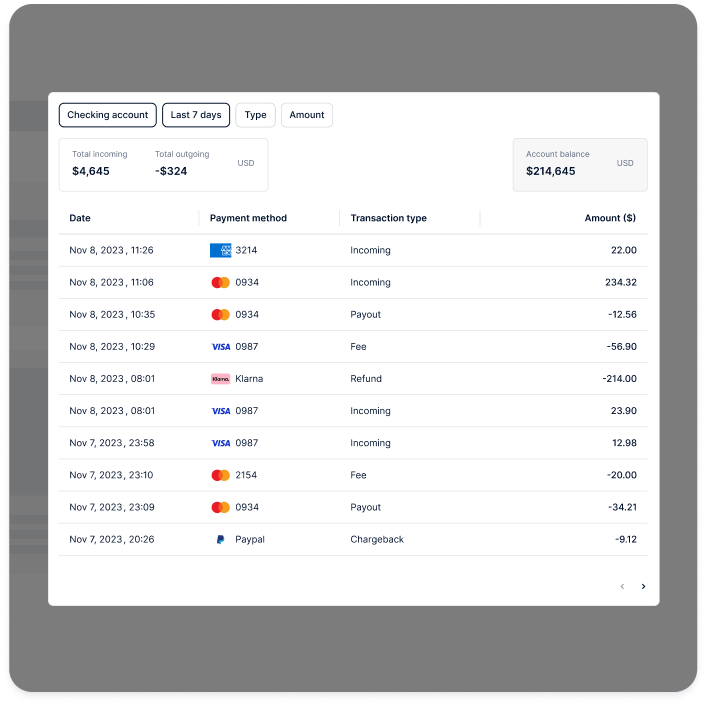
- It has a basic user interface where you can embed components.
- Its backend application has an API layer with which you can initialize components.
- Ease of integration and low maintenance. Components are ready-to-use libraries that require minimal code to initialize components.
- Faster time to market. Components eliminate the need for custom design and reduce developers’ efforts for integration with Adyen.
- Customizability. You can change the look and feel of components to match your branding style.
- Up-to-date functionality. Components are developed to work efficiently with Adyen APIs, ensuring you stay updated with your Adyen integration.
- Latest technologies and design trends. Adyen uses modern frameworks to provide the best performance on the web and mobile and to be consistent with current design trends.
Available components
The available components are grouped based on their location in the payment process, such as before and after the payment. This way, you can quickly find the appropriate component to implement into your user flow.- Before the payment
- After the payment
Before you can start issuing cards, your account holders need to go through verification checks. Adyen performs the checks against the legal entity of the account holder. To facilitate this process, you can use the Onboarding components. These components enable users to enter and submit their information to Adyen in your platform’s UI.


Transfer Instrument Configuration
The Transfer Instrument Configuration component enables users to add information about their bank accounts, also known as transfer instruments. Users can either give us permission for instant verification of their bank account, or they upload documents that we then use to validate the bank account.Transfer Instrument Management
The Transfer Instrument Management component enables users to add a new bank account (a transfer instrument) or delete an existing one that is no longer required. This component shows a list of all bank accounts that have been added, along with their corresponding verification statuses and error messages, if applicable.