

Requirements
Before you begin, take into account the following requirements, limitations, and preparations.How it works
- You offer in-app purchases in your native iOS app.
- The shopper selects the option to make a purchase, for example by selecting a button in your app.
- You redirect the shopper to a website where they can complete the payment.
- The shopper completes their payment on the website.
- You redirect the shopper back to your app, and show them a purchase confirmation.
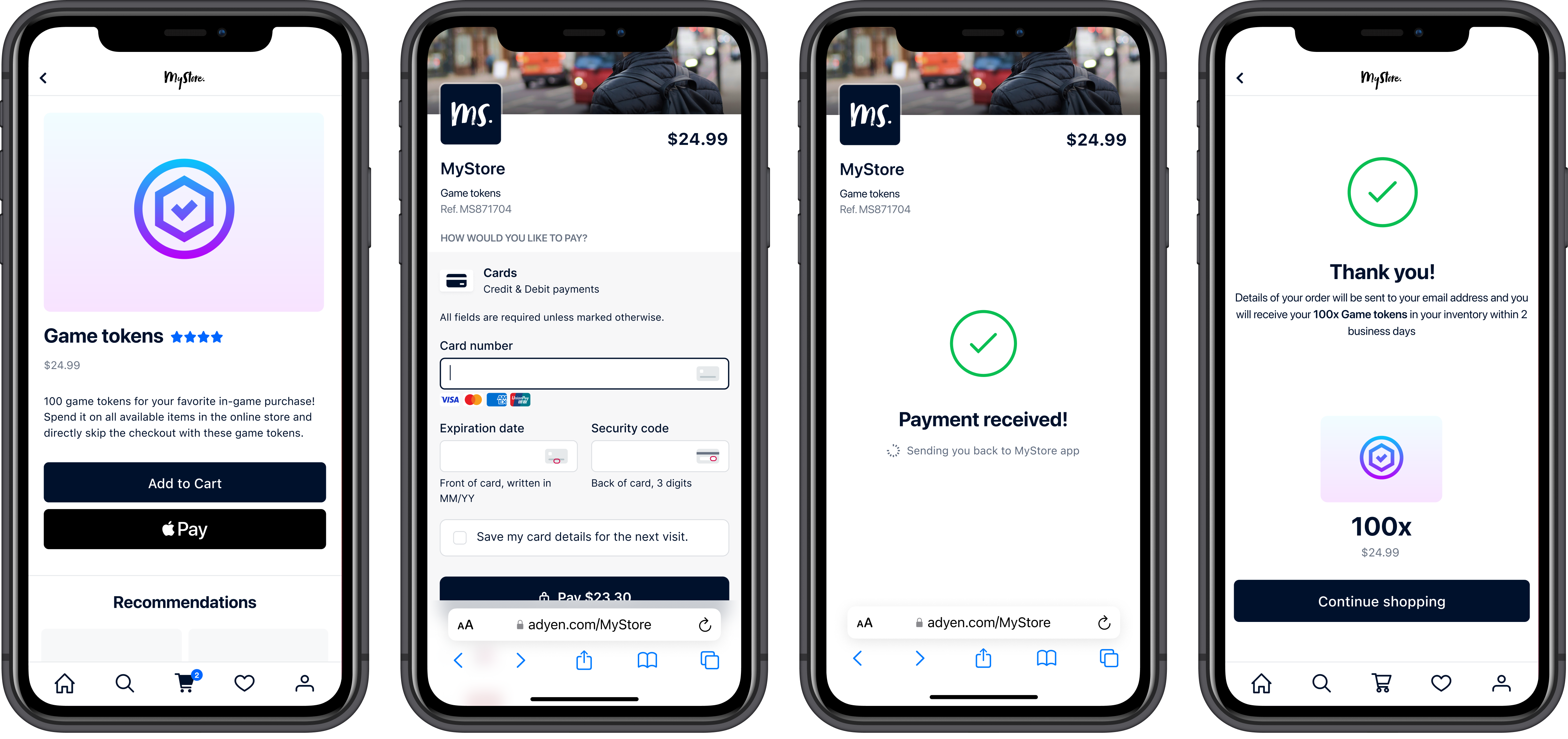
Redirect your shoppers for an out-of-app payment
We offer two solutions to redirect your shoppers to an external website in a mobile browser from your iOS app to complete their payment:- Web Drop-in/Components: redirect your shoppers to your existing web checkout page in the mobile browser. This option requires you to build your own Web integration with Adyen, and implement your own logic to return the shopper back to your app.
- Hosted Checkout: redirect the shopper to an Adyen-hosted website where they make the payment. This option requires lower development effort, and the shopper is automatically redirected back to your app after they complete the payment.
- Web Drop-in/Components
- Hosted Checkout
You can choose the server-side flow that you want to implement and use our guides to integrate with Web Drop-in/Components for the Sessions flow or the Advanced flow.To accept out-of-app payments with our Web Drop-in/Components:
- When your shopper proceeds to make a purchase in your app, for example by selecting Buy, redirect your shopper to your existing checkout page in a mobile browser.
- Display the payment details for the in-app purchase on your checkout page.
-
When the shopper proceeds to pay, handle the payment flow. Depending on your server-side flow, this consists of either:
- A single /sessions request.
- Subsequent /paymentMethods, /payments, and /payments/details requests.
- After the shopper completes the payment flow on your website, redirect them to your app. We recommend to implement a logic that automatically redirects your shoppers upon payment completion. Alternatively, implement a button for your shoppers to select when they want to go back to your app.
- Get the payment outcome in an AUTHORISATION webhook.