Accounting events
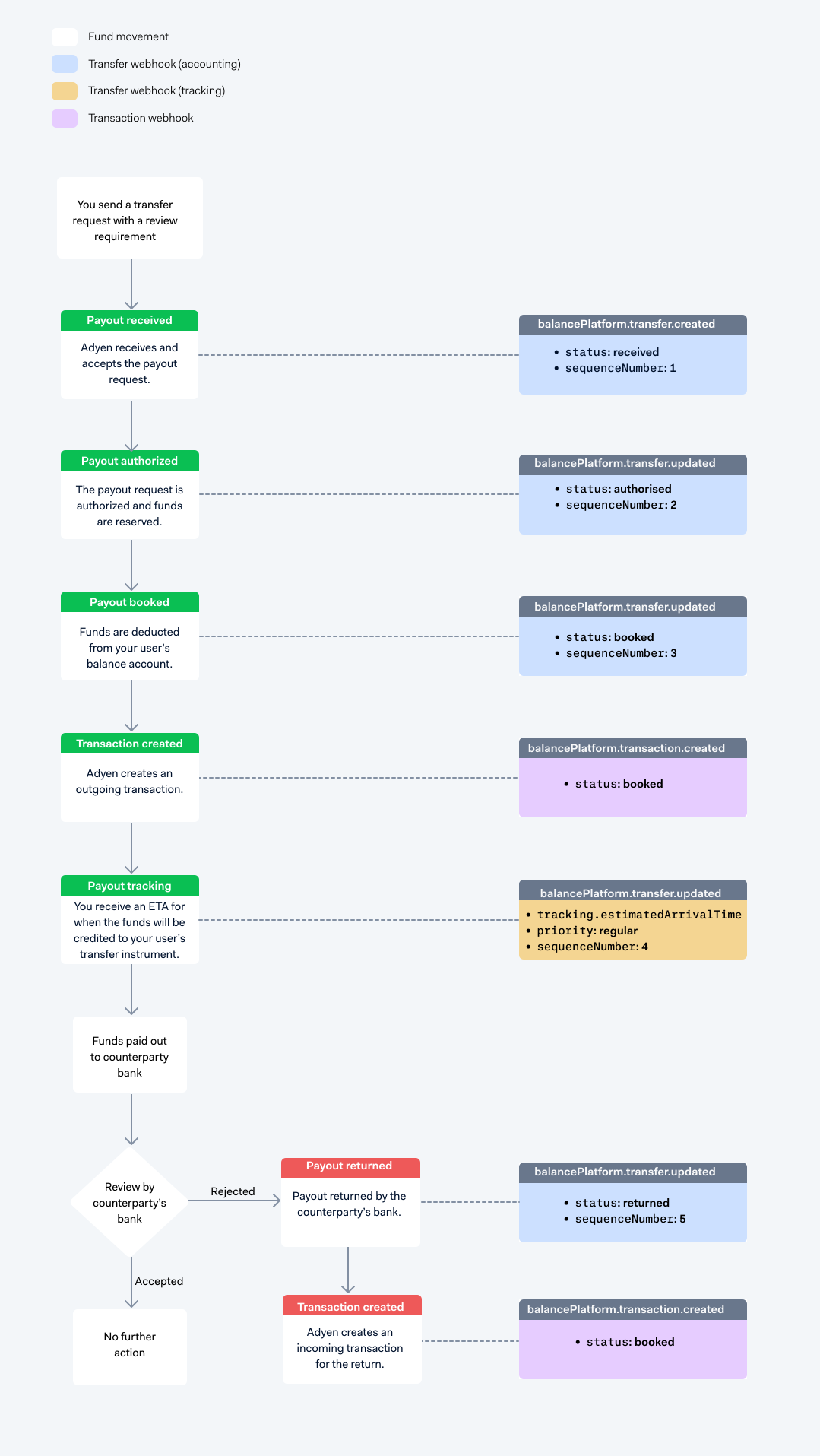
Accounting events are events that occur during the lifecycle of a payout that affect the available balance in your balance account.- Regular flow
- Approval flow
- Payouts to bank accounts
- Payouts to cards
- Instant payouts
- Non-instant payouts
Standard payouts that occur on your balance platform go through the following stages: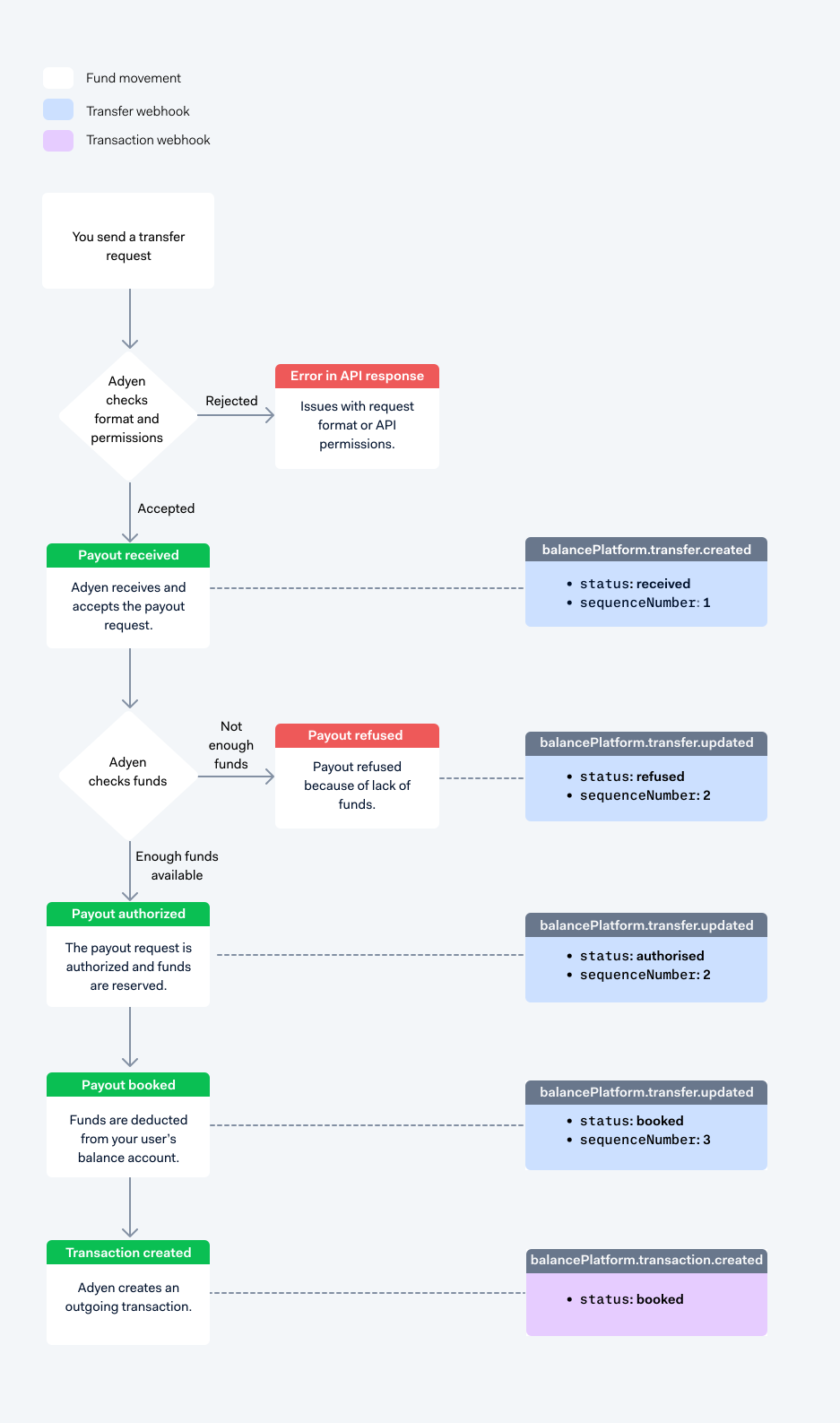
-
Payout received: Adyen receives your payout request and checks the request parameters, the request format, and your API permissions.
- If the parameters, format, and permissions are correct, we accept the payout request. You receive a balancePlatform.transfer.created webhook with
statusreceived.- If there are any issues with the parameters, we reject the payout request without triggering any webhooks. You receive an error message in the API response.
- If the parameters, format, and permissions are correct, we accept the payout request. You receive a balancePlatform.transfer.created webhook with
-
Payout authorized: Adyen checks if there are enough funds in your balance account to authorize the payout.
- If there are enough funds, we reserve the payout amount on your balance account and authorize the payout. You receive a balancePlatform.transfer.updated webhook with
statusauthorised. - If there are not enough funds, we refuse the payout. You receive a
balancePlatform.transfer.updatedwebhook withstatusrefused.
- If there are enough funds, we reserve the payout amount on your balance account and authorize the payout. You receive a balancePlatform.transfer.updated webhook with
-
Payout booked: Adyen deducts the funds from your balance account and creates a transaction. You receive the following webhooks:
- A
balancePlatform.transfer.updatedwebhook withstatusbooked. - A
balancePlatform.transaction.createdwebhook which informs your server that Adyen has debited funds from your balance account.
- A