

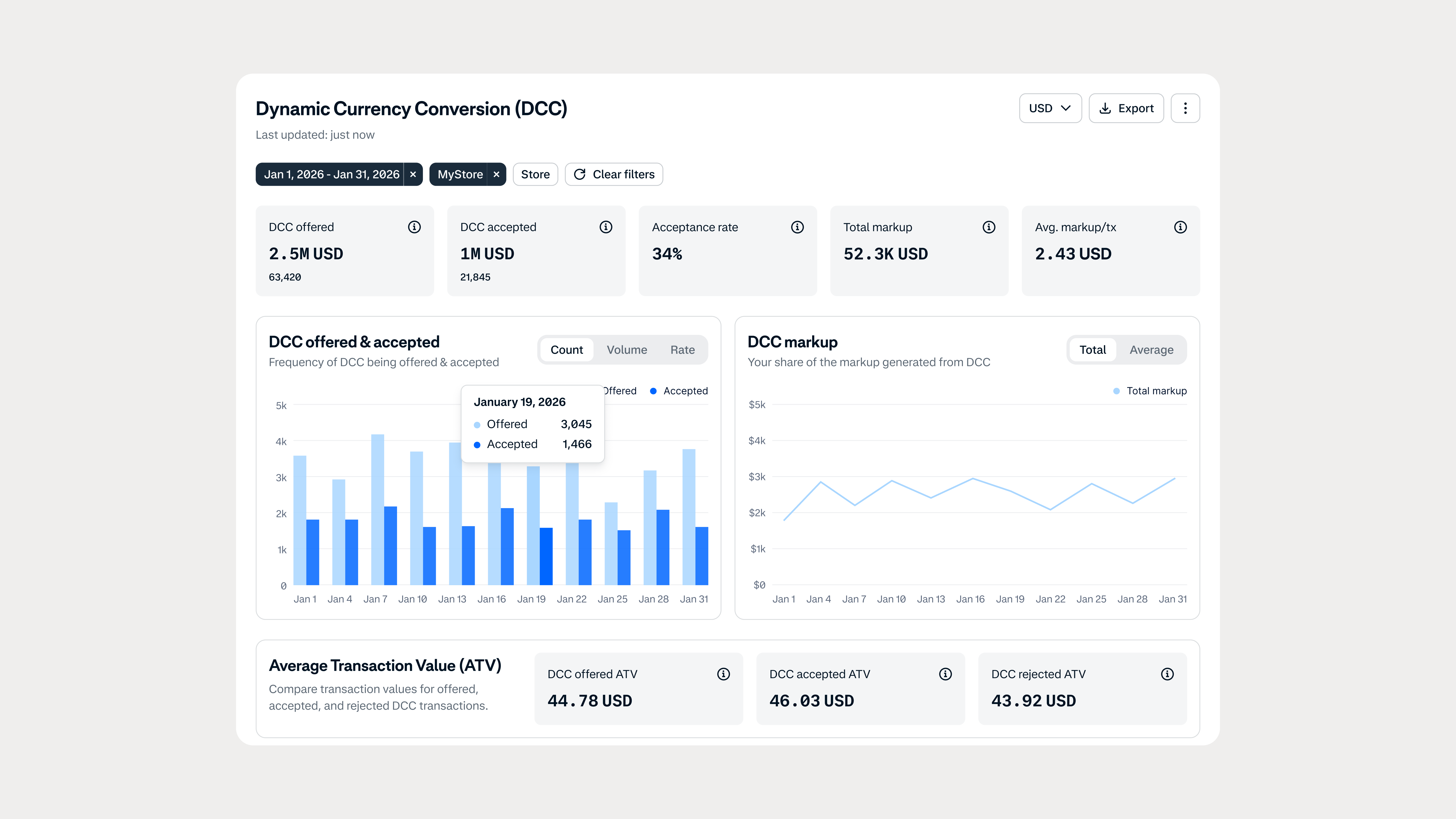
- Track acceptance rates: See exactly how many shoppers choose to pay in their home currency.
- Monitor revenue: Quantify your share of the DCC markup generated at your terminals.
- Analyse in detial: Breakdown performance by merchant account, store and terminal, or pivot by issuer country, payment method, and currency pair.
Requirements
View and download the DCC dashboard
- Log in to your live Customer Area.
- Go to Reports > Point of sale, and under Dashboards select Dynamic Currency Conversion (DCC).
- In the dashboard, select the reporting period and other settings.
- Select Export to download the data into a CSV file.
 For the best experience, we recommend to use the dashboard for your data analysis instead of the exported CSV file. The data in the CSV file is limited to your dashboard filter selection.