

- To reduce the risk of chargebacks, you can use an external account validation service.
- In case of a Notification of Change, you can prevent future returns by asking the customer to update their account details.
- In some cases you can retry the payment.
Causes of ACH chargebacks
Because the ACH network is unable to provide real-time authorizations, an authorised payment can be reversed due to insufficient funds. Such chargebacks usually happen three to five days after the date of the direct debit payment. Additionally, consumers can dispute direct debit payments up to two years after the settlement date, claiming they did not authorize the payment or withdrew their authorization. Businesses can do this up to one year after settlement. This is different from credit card transactions, where a customer can initiate a chargeback by claiming that a product or service was not what they expected.Reduce the chargeback risk
To reduce the risk of ACH returns, we recommend using an external service to validate the customer’s account details on their first transaction. External services that we support:Refunding disputed payments
Adyen delays refunds for three days after a payment has settled. This delay helps prevent a scenario where, after a payment has settled, you issue a refund and a customer initiates a chargeback at around the same time. If you try to issue a refund but a customer initiates a chargeback within those three days, the refund request is canceled automatically and you will receive a CHARGEBACK webhook.ACH return flow
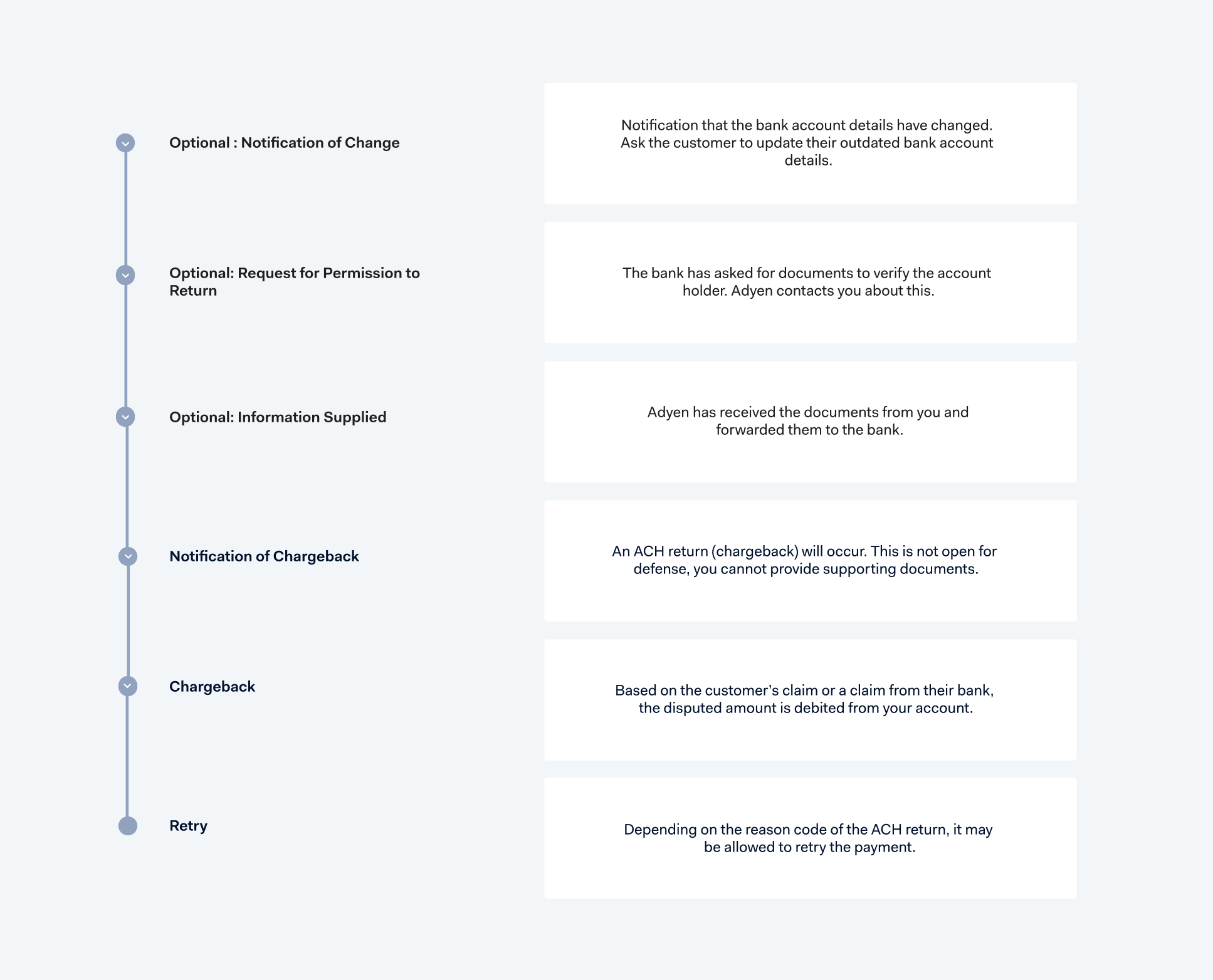
After an ACH Direct Debit payment is authorized, captured, and settled, the ACH return flow is as follows:- Optional: Notification of Change
- Optional: Request for Permission to Return
- Optional: Information Supplied
- Notification of Chargeback
- Chargeback
- Retry
Optional: Notification of Change
If bank account details have changed, Adyen receives a Notice of Change. This happens, for example, if the customer’s bank has been taken over by another bank. Usually there is a grace period when payments using the old account details are still accepted. But when the grace period ends, payments using the old account details are returned. If you subscribed to DIRECT_DEBIT_NOTICE_OF_CHANGE_NOTIFICATION webhooks, Adyen then sends an ach.notificationOfChange webhook event with the details. When banks inform us that account details have changed, we update the account details saved in our system as much as possible. If you make recurring payments, the existingshopperReference is updated with the new account details in many cases. However, you should still inspect the Direct Debit Notice of Change Notification webhook to see if details are missing and you need ask the customer to update their account details in your system.
The following example illustrates the content of a Direct Debit Notice of Change Notification webhook with an ach.notificationOfChange event.
Direct Debit Notice of Change Notification
Optional: Request for Permission to Return
To verify the account holder, the issuing bank has asked for supporting documents. Adyen contacts you to provide those documents.At this point, funds are not yet deducted from your account.
Optional: Information Supplied
Adyen has received your supporting documents and has shared them with the issuing bank.At this point, funds are not yet deducted from your account.
Notification of Chargeback
The issuing bank or the customer has initiated an ACH return. You receive a NOTIFICATION_OF_CHARGEBACK webhook with the details. You cannot defend the return, but it may be allowed to retry the payment.Chargeback
Your account is debited for the ACH return. You receive a CHARGEBACK webhook. You cannot defend the return, but it may be allowed to retry the payment.Decide if you can retry the payment
To indicate the reason of the return, ACH provides a reason code that we return in the NOTIFICATION_OF_CHARGEBACK and CHARGEBACK webhooks, and in your Customer Area > Revenue & risk > Disputes. Depending on the reason code, you can retry the transaction or take some other action. However, some transactions cannot possibly succeed, for example because the customer’s account has been closed. If you repeatedly retry transactions that will never succeed, the National Automated Clearinghouse Association (Nacha) imposes fines, and we have to block you from sending any new ACH Direct Debit transactions. Use the following table with the most common ACH return reason codes to determine if it is allowed to retry a returned ACH Direct Debit payment.| Reason code | Reason | Description / Resolution | Retry? |
|---|---|---|---|
| R01 | Insufficient funds | You can retry the transaction up to two times within 30 days of the original authorization date. |  max 2x |
| R02 | Account closed | Retrying the transaction is not allowed. Initiate a new transaction using an external validation service. |  |
| R03 | No Account/Unable to locate account | The provided account information is incorrect. Retrying the transaction is not allowed. Initiate a new transaction using an external validation service. | |
| R04 | Invalid account number | The provided account number is incorrect. Retrying the transaction is not allowed. Initiate a new transaction using an external validation service. | |
| R05 | Unauthorized debit to consumer account | A corporate transaction was charged to a consumer account and was disputed by the customer. Suspend any recurring payments and resolve the issue with the customer. If you are going to debit the same account for a new transaction, make sure the customer’s bank stops blocking transactions from your company to this account. | |
| R06 | Returned per ODFIs request | Your bank asked the customer’s bank to reverse the transaction. Retrying the transaction is not allowed. Contact your bank. | |
| R07 | Authorization revoked by customer | The customer informed their bank they revoked authorization for the transaction. Suspend any recurring transactions and resolve the issue with the customer. If you are going to debit the same account for a new transaction, make sure the customer’s bank stops blocking transactions from your company to this account. | |
| R08 | Payment stopped or stop payment on item | The customer instructed their bank to not honor a payment they previously authorized. Resolve the issue with the customer. When initiating a new transaction (using an external validation service), get new proof of authorization from the customer. If you are going to debit the same account, make sure the customer’s bank stops blocking transactions from your company to this account. | |
| R09 | Uncollected funds | Insufficient funds. You can retry the transaction up to two times within 30 days of the original authorization date. | max 2x |
| R10 | Customer Advises Originator is Not Known to Receiver and/or Originator is Not Authorized by Receiver to Debit Receiver’s Account | The customer disputed the transaction. Retrying the transaction is not allowed. Resolve the issue with the customer. If you are going to debit the same account for a new transaction, make sure the customer’s bank stops blocking transactions from your company to this account. | |
| R11 | Customer Advises Entry Not in Accordance with the Terms of the Authorization | The customer informed their bank that the payment is not in accordance with the authorization terms. Suspend any recurring transactions and resolve the issue with the customer. You can retry the transaction within 60 days of the original settlement date. | |
| R12 | Branch sold to another DFI | The customer’s account has migrated to another financial institution. Ask the customer to update their account details in your system. | |
| R13 | Invalid ACH routing number | The provided routing number does not belong to any bank in the ACH network. Ask the customer for the correct routing number, or contact your bank if you are sure the number is correct. | |
| R15 | Beneficiary or account holder deceased | Contact the bank of the deceased account holder or account beneficiary. | |
| R16 | Account frozen | Contact your customer to obtain a different form of payment. The bank account cannot be used while it is frozen. This return code should be a red flag for your business. If you see this code, do your due diligence around verifying the identity of your customer. | |
| R17 | File record edit criteria | The customer’s bank had a technical problem with processing the ACH transaction. | |
| R20 | Non-transaction account | The provided bank account cannot be used for ACH payments. Ask the customer for permission to charge a different, ACH-enabled bank account. | |
| R29 | Corporate customer advises not authorized | The company you tried to charge has disputed the transaction. Retrying the transaction is not allowed. Resolve the issue with the other company. If you are going to debit the same account for a new transaction, make sure the other company’s bank stops blocking transactions from your company to this account. It is possible the issue is resolved if the other company adds the Adyen ACH Company ID for payments to the allowlist of their business account. | |
| R31 | Permissible return entry | The business account holder or their bank has asked to reverse the transaction. Contact your bank for more information. Contact the customer to resolve the issue. | |
| R51 | Item is ineligible, notice not provided, signature not genuine | To determine what to do, you need to find out the underlying reason why the payment was returned. Contact Adyen if you need help. | |
Test a chargeback scenario
You can try out the ACH return flow by sending an ACH Direct Debit test payment. TheownerName in the test payment indicates the chargeback scenario that you want to test.
Note that in the test environment the return flow goes directly to the Chargeback stage. The optional stages and the Notification of Chargeback stage are skipped.
To test a chargeback:
-
Send an ACH Direct Debit payment request using the following account details.
Testing return reason code R01
curl
Java
PHP
C#
NodeJS (JavaScript)
Go
Python
Ruby
NodeJS (TypeScript)
-
Note that the request succeeds with
resultCode: Authorised.
The ACH return flow starts after the test payment is captured and settled. -
Wait for the CHARGEBACK webhook and check your Customer Area > Revenue & risk > Disputes.
The webhook and your Customer Area show a chargeback with the return reason code that you specified in the payment request.