The Client-Side Encryption (CSE) Web integrations are being phased out
This means we are:
  • No longer developing the CSE integration.
  • Not accepting new CSE integrations.
Switch to one of our latest Web integrations, to accept payments on your website. Mobile integrations aren’t affected. For using the Client-Side Encryption (CSE) library, you need to obtain its public key, location, and library token. To obtain these values, follow the instructions below:
  1. Log in to your Customer Area using your company account.
  2. Navigate to Developers > API credentials.
  3. If you do not have an API credential yet, click Add new credential.
    If you already have an API credential, search for this credential (for example, ws@Company.[YourCompanyAccount])  in the list.
  4. On the Edit Web Service User page, click the Generate button on the Client-Side Encryption panel:
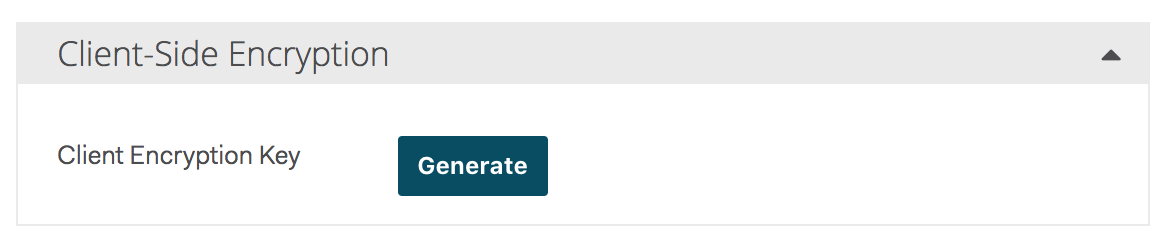
    Client-Side Encryption panel showing Generate button
  5. Copy Public Key, Library location, and Library token values to store them on your system:
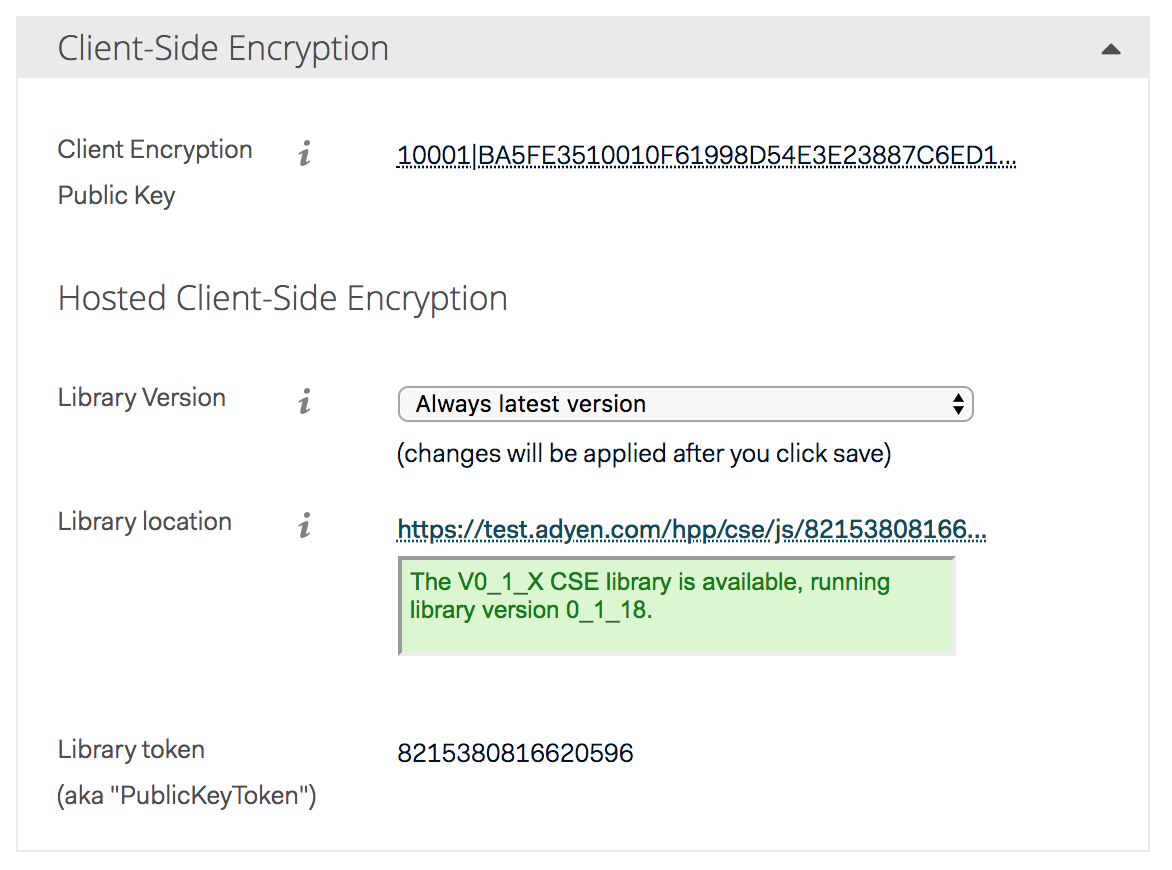
    Client-Side Encryption panel showing Public Key, Library location, and Library token
Note that these values will be changed once you switch your account from test to live .