

- Test the happy flow.
- Test non-happy flows such as time-outs and connection problems, verifying the transaction status.
- Simulate various acquirer responses to test your handling of declined transactions.
- Test different Cardholder Verification Methods (CVM).
Testing credit and debit cards
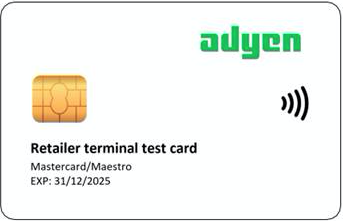
To test card payments on your test terminal or in your Mobile solution, you need to have a test card. With this, you can make dummy payments that do not result in actual credits or debits to a live bank account. You can view the details and the result of test payments in your test Customer Area under Transactions > Payments.Adyen test card
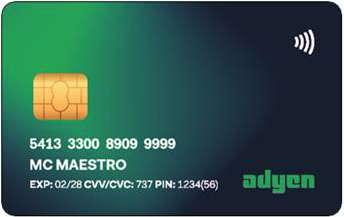
You can order an Adyen test card from your test Customer Area. The Adyen test card has several “applications” programmed onto it that each simulate a card with a specific brand, language, country/region, currency, and Cardholder Verification Method (CVM). Using the Adyen test card, you can:- Test different card brands.
- Test different CVMs.
- Test declined payments.
- Simulate the user interface in a different language.
B2 test card sets
Apart from the test card provided by Adyen, you can also buy an Adyen test card set from B2. Such a set includes several cards, each with a unique brand, language, country/region, and currency. These cards work in our test environment, and are primarily intended to test if your integration supports various card brands.Which test card are you using?
Select your test card below to learn how to use it.
B2 test card set
 Test cards from providers other than Adyen or B2 may not be compatible with our test terminals.
Testing gift cards
In general, gift card providers have a test environment and physical test gift cards for end-to-end test transactions. However, it takes time and effort to set up the correct testing details and credentials. Also, these test environments are not always online. For those reasons, we provide a testing system that lets you simulate gift card transactions. When simulating transactions:- Use a specific gift card number depending on your gift card provider.
- Test a few scenarios by providing specific transaction amounts.
Gift card numbers
To simulate gift card transactions, use the following gift card numbers.
If the simulator asks for a Fiserv (formerly ValueLink) promo code, enter any value.
To test the balance check, make a test payment for an amount higher than EUR 50.
Test scenarios
To simulate different scenarios, change the last three digits of theRequestedAmount that you specify in the payment request.
The following table shows:
- The last three digits of the amount to specify for simulating a specific response.
- The
Result,ErrorCondition,AdditionalResponse.refusalReasonandAdditionalResponse.messagefrom the Terminal API response.
Testing NFC wallets
Payments with NFC wallets like Apple Pay can only be tested in a live environment.Testing QR code wallets
To test QR code payments, you can:- Make test payments using our simulator.
- Perform live, in-app tests.
For this, you need to get the QR code wallet app, set it up with a credit or debit card, and do live penny tests (payments for a minimal amount).
Adyen simulator
We provide a simulator that lets you try out QR code payments in the various flows.-
Merchant-initiated flow:
If you are testing QR code payments initiated by the terminal or initiated by the POS app, our simulator shows a QR code on the terminal and automatically approves the transaction after 15 seconds. For PIX test payments above 10 BRL, the simulator doesn’t show a QR code. For IRIS, the test payment result depends on the test amount, as described in this Test and go live section. -
Shopper-initiated flow
If you are testing QR code payments initiated by a barcode scanner, our simulator immediately approves the transaction when you scan the barcode.
To make test payments, you do not need to use an actual payment method QR code (for example, an Alipay QR code). Any barcode or QR code can be used, but we highly recommend testing your integration using a barcode or QR code that uses the same specifications as the payment method. For example:- Alipay wallet ID: string of 16-24 digits, starting with 25, 26, 27, 28, 29 or 30
- WeChat Pay wallet ID: 18 digits, starting with 10, 11, 12, 13, 14 or 15
Test scenarios
Nearly all test QR code payments will result in the transaction being approved. To simulate different scenarios, change the last three digits of theRequestedAmount that you specify in the payment request.
For example, to test how your integration responds to an abandoned transaction, specify a RequestedAmount with 504 as the last three digits, such as 105.04 or 25.04.