

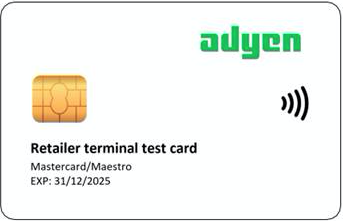
 This Adyen test card has several “applications” programmed onto it that each simulate a specific card brand (payment method), language, country/region, and currency, and various Cardholder Verification Methods (CVM).
When making test payments with this card:
- To test a specific application on the test card, use the corresponding currency in your payment request.
- To test different CVMs, use different combinations of transaction amount and currency.
- To test declined payments, use the last three digits of the transaction amount.
Card applications
Use the table below to see which application on the test card corresponds with the scenario you want to test. To try a particular application, use the corresponding currency in your payment request. You can also select an application on the terminal: when the terminal shows Present card, insert the card and select the application on the display.Testing CVMs
To test different CVMs, use different combinations of transaction amount and currency. If you enter a wrong PIN multiple times, the card is blocked and cannot be used anymore.
For online PIN, with the card inserted in the card reader, the test system will accept any PIN code you enter.
For offline PIN, with the card inserted in the card reader, the transaction will be declined if you enter an invalid PIN.
Simulating declined payments
In general, test payments are approved. To simulate declined payments, you can change the last three digits of theRequestedAmount that you specify in the payment request.
For example, to test how your integration responds when the issuer suspects fraud, specify an amount with 151 as the last three digits, such as 101.51 or 21.51.
In a classic library integration you can run the same simulations, but the response returns a generic DECLINED_ONLINE posResultCode in most cases. To verify the details of a simulation, you can:
- Check the transaction in the Customer Area.
- Check the raw response in the notification for the transaction.
- The last three digits of the amount to specify for simulating a specific response.
- The
Result,ErrorCondition,AdditionalResponse.refusalReason, andAdditionalResponse.messagefrom the Terminal API response.
refusalReason and message are included for additional insight, and should not be coded against. For instructions on how to handle declines, see Declined payments.
Raw responses
In our back end, we receive the payment response from card schemes and issuers. In case of a declined payment, we map the raw response to a combination ofErrorCondition, refusalReason, and message and return this in the Terminal API response.
Raw responses provide additional information, but you do not need to test them because you should not code against them. If you base your failure-handling logic on raw responses, that might break your integration because acquirers and issuers sometimes change their raw responses without notice.
If you still want to receive the raw response, you can:
- Set up standard webhooks with the additional setting Add Raw Acquirer Result enabled.
- For a Terminal API integration, configure receiving raw responses.